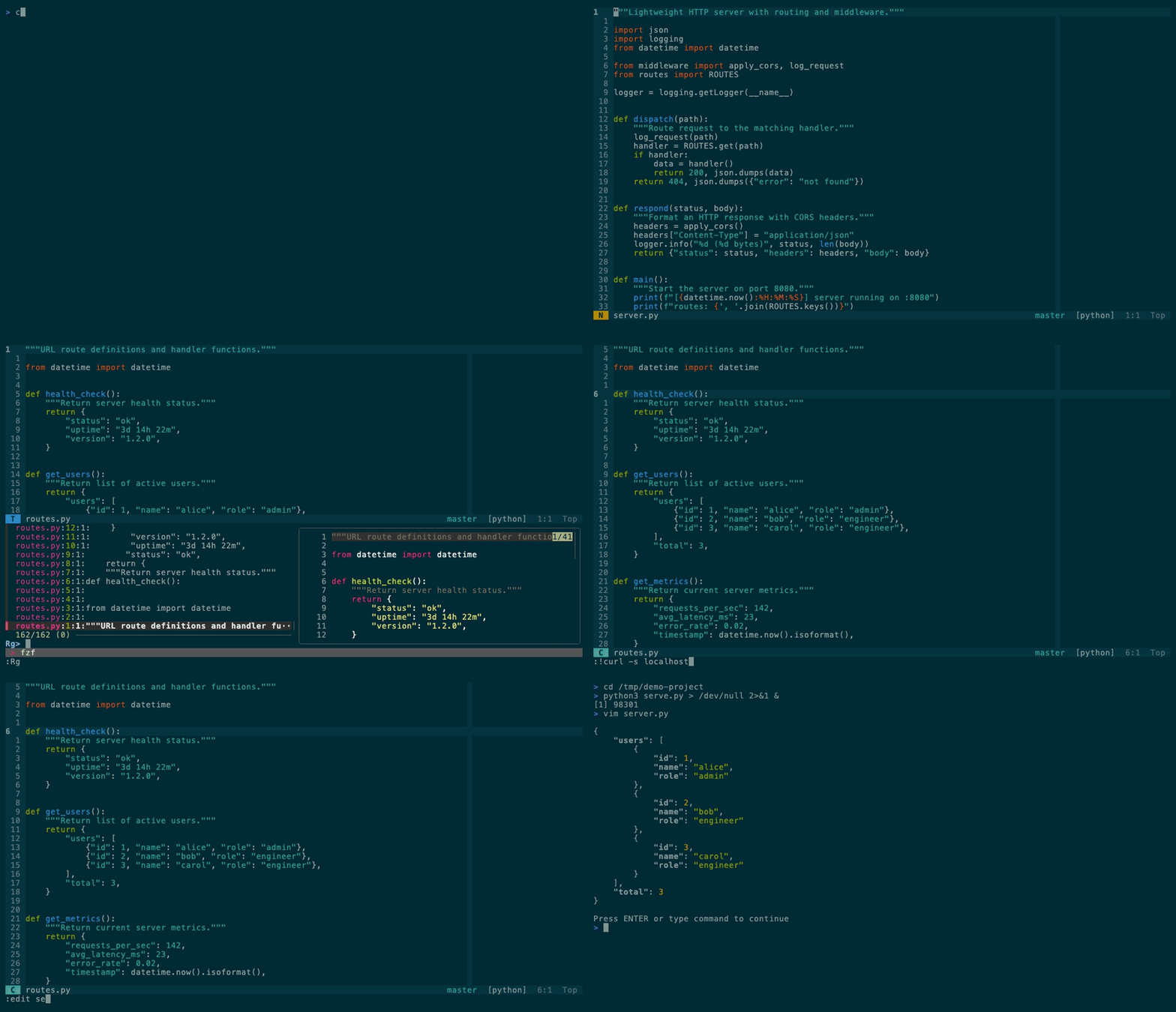
chopsticks
Vim for engineers. ~25 plugins, works over SSH.





---
```bash
curl -fsSL https://raw.githubusercontent.com/m1ngsama/chopsticks/main/get.sh | bash
```
---
## Why
You SSH into a server. You need to edit code. You want LSP, fuzzy find, git integration, format-on-save — not a 20-minute setup.
chopsticks gives you a production-ready Vim config in one command. Pure VimScript — no Node.js for the core. Degrades gracefully on TTY. Works the same on your MacBook and your headless Arch box.
**24–25 plugins** (tmux-navigator loads only inside tmux), LSP, linting, and a hand-built statusline. No bloat, no decorations, just tools.
## What's in the box
| Feature | Description |
| ----------------- | -------------------------------------------------------------------------------------------------------------------------------------------------------------- |
| **LSP** | completion, go-to-def, hover, rename, code actions — pure VimScript ([vim-lsp](https://github.com/prabirshrestha/vim-lsp)) |
| **Lint + format** | [ALE](https://github.com/dense-analysis/ale) runs black, prettier, goimports, rustfmt on save |
| **Fuzzy find** | files, buffers, grep, tags, marks, commands — [FZF](https://github.com/junegunn/fzf.vim) |
| **Git** | status, diff, blame, push, pull, conflict markers — [fugitive](https://github.com/tpope/vim-fugitive) + [gitgutter](https://github.com/airblade/vim-gitgutter) |
| **Run file** | `,cr` — auto-detects Python, Go, Rust, JS, C, Shell, and more |
| **Markdown** | quiet writing defaults, browser preview (`,mp`), table of contents (`,mt`) |
| **Diagnostics** | `:ChopsticksStatus` — see what's installed, what's missing, how to fix it |
| **TTY-aware** | degrades gracefully on SSH, console, slow links — never breaks |
## Install
```bash
curl -fsSL https://raw.githubusercontent.com/m1ngsama/chopsticks/main/get.sh | bash
curl -fsSL https://raw.githubusercontent.com/m1ngsama/chopsticks/main/get.sh | bash -s -- --profile=minimal
```
Or manually:
```bash
git clone https://github.com/m1ngsama/chopsticks.git ~/.vim
cd ~/.vim && ./install.sh --profile=engineer
```
Supports macOS (brew), Debian/Ubuntu (apt), Arch (pacman), Fedora (dnf).
First launch installs plugins automatically (30-60s). Restart vim when done.
Use `./install.sh --dry-run --profile=full` to inspect the resolved profile and
config path without changing files. Use `./install.sh --configure-only
--profile=minimal` to switch profiles without reinstalling plugins or tools.
## Profiles
Default profile: `engineer`. Interactive installs ask for this profile before
plugins are installed; `--profile=minimal`, `--profile=engineer`, or
`--profile=full` selects it without prompting. `--yes` keeps the existing local
profile or uses `engineer`.
```vim
" Put this in ${XDG_CONFIG_HOME:-~/.config}/chopsticks.vim.
let g:chopsticks_profile = 'minimal' " core navigation/editing/git/markdown
let g:chopsticks_profile = 'engineer' " default: LSP, ALE, syntax extras
let g:chopsticks_profile = 'full' " engineer + heavier Markdown feedback
```
`minimal` avoids LSP, ALE, completion plugins, extra language syntax plugins,
Startify, UndoTree, and browser Markdown preview. `full` keeps those and opts
into Markdown lint, format, spell, conceal, Marksman, and LSP virtual text.
Project updates leave `~/.config/chopsticks.vim` alone, so put local choices
there instead of editing the managed `.vimrc`. The `,?` cheat sheet follows the
active profile and only shows keys for enabled features.
## Keys
Leader: `,`
```
Ctrl+p fuzzy find file gd go to definition
,rg ripgrep project K hover docs
,e toggle file sidebar ,cr run current file
,gs git status ,f format
,w save ,q quit
jk exit insert mode ,? cheat sheet
```
All keybindings
### Files
`Ctrl+p` find | `,b` buffers | `,rg` grep | `,rG` grep word | `,fh` recent | `,fl` lines | `,e` browser | `,E` browser (file dir) | `,,` last file
### Code
`gd` def | `gy` type | `gi` impl | `gr` refs | `K` docs | `[g` `]g` diagnostics | `[e` `]e` ALE errors | `,rn` rename | `,ca` action | `,o` outline | `,cr` run
### Edit
`,S`+2ch jump | `gc` comment | `cs"'` surround | `Alt+j/k` move line | `,u` undo tree | `,y` clipboard | `,*` replace word | `,F` re-indent | `,W` strip whitespace | `[` `]` blank lines
### Git
`,gs` status | `,gd` diff | `,gb` blame | `,gc` commit | `,gp` push | `,gl` pull | `,gL` log graph | `,gC` FZF commits | `,gB` buffer commits | `]x` `[x` conflict
### Windows
`Ctrl+hjkl` navigate (+ tmux) | `,z` maximize | `,h` `,l` buffers | `,bd` close buffer | `,=` `,−` resize | `,tv` `,th` terminal | `Esc Esc` exit terminal
### Markdown
`,mp` preview in browser | `,mt` table of contents
### Toggle
`F2` paste | `F3` line numbers | `F4` relative numbers | `F6` invisible chars | `,ss` spell check | `,af` format on save
### Utilities
`,cp` copy full path | `,cf` copy filename | `,ev` edit vimrc | `,sv` reload vimrc | `,wa` save all | `:ChopsticksStatus` diagnostics
## LSP
```vim
:LspInstallServer " auto-detects filetype
:LspStatus " check what's running
:ChopsticksStatus " see all tools + LSP + linters at a glance
```
pylsp, gopls, rust-analyzer, clangd, sqls — no Node.js. JS/TS servers need Node.
Markdown LSP (`marksman`) is opt-in so prose buffers stay quiet by default.
ALE and vim-lsp coexist cleanly (`ale_disable_lsp=1`). ALE handles linting + formatting. vim-lsp handles everything else.
## Markdown
Markdown opens in writing mode: wrapped text, no spell noise, no concealed
syntax, no sign column, no real-time markdownlint, and no Marksman diagnostics.
The explicit commands still work:
```vim
,mp " preview in browser
,mt " table of contents
```
Opt into heavier Markdown tooling from your own vimrc before loading
chopsticks:
```vim
let g:chopsticks_markdown_lint = 1
let g:chopsticks_markdown_format_on_save = 1
let g:chopsticks_markdown_lsp = 1
let g:chopsticks_markdown_spell = 1
let g:chopsticks_markdown_conceal = 1
let g:previm_enable_realtime = 1
```
For Markdown LSP, install or select `marksman` first.
## Architecture
```
~/.vim/
├── .vimrc thin loader
├── modules/
│ ├── env.vim TTY detection, truecolor, skip built-in plugins
│ ├── plugins.vim vim-plug + 24–25 plugins
│ ├── core.vim settings, keymaps, performance
│ ├── ui.vim solarized, statusline, startify
│ ├── editing.vim easymotion, yank highlight, blank lines
│ ├── navigation.vim fzf, netrw sidebar, windows, terminal
│ ├── lsp.vim vim-lsp, asyncomplete
│ ├── lint.vim ale, format-on-save
│ ├── git.vim fugitive, gitgutter, conflict nav
│ ├── languages.vim vim-go, markdown, filetype settings
│ └── tools.vim run file, quickfix, cheat sheet, diagnostics
```
Each module is self-contained. Comment out one line in `.vimrc` to disable it. Add your own with `call s:load('mine')`.
## Performance
| Metric | Value |
| ------------------------ | ------------------------------------------- |
| Lazy-loaded | 7 plugins (on command or filetype) |
| Built-in plugins skipped | 12 (gzip, tar, zip, vimball, logiPat, etc.) |
| Large file threshold | 10MB (auto-disables syntax + undo) |
| TTY large file | 500KB (syntax disabled) |
## Troubleshooting
| Problem | Fix |
| ------------------- | --------------------------------------------- |
| Plugins not loading | `:PlugInstall` then `:PlugUpdate` |
| LSP not starting | `:LspInstallServer` for current filetype |
| Colors wrong | `export COLORTERM=truecolor` in shell rc |
| `Ctrl+s` freezes | `stty -ixon` in shell rc |
| Everything slow | Large file? Auto-disabled >10MB |
| What's installed? | `:ChopsticksStatus` shows tools, LSP, linters |
More in the [wiki](https://github.com/m1ngsama/chopsticks/wiki).
## Contributing
See [CONTRIBUTING.md](CONTRIBUTING.md). The two rules that matter: no Node.js dependencies, and don't regress startup time.
## License
[MIT](LICENSE)